
Launch · Version 1.1.0
First Light
An editorial Coming Soon page with xyroCMS branding, monumental typography and an editable launch countdown.
See the complete page
Actual rendered template screenshots, from header to footer. Open an image at full size to inspect the details; use the live preview to try interactions.
Desktop preview
Open desktop screenshot at full size ↗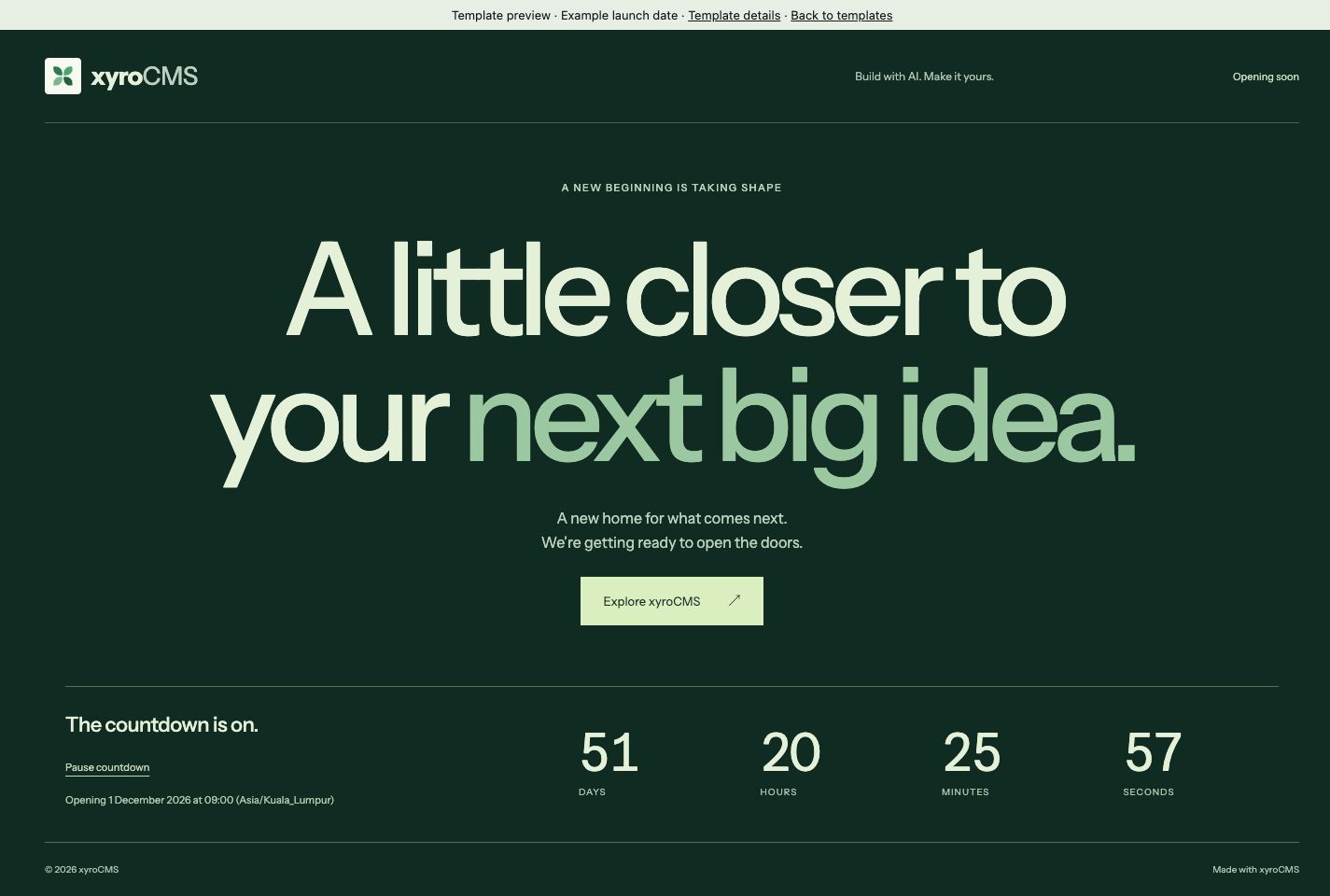
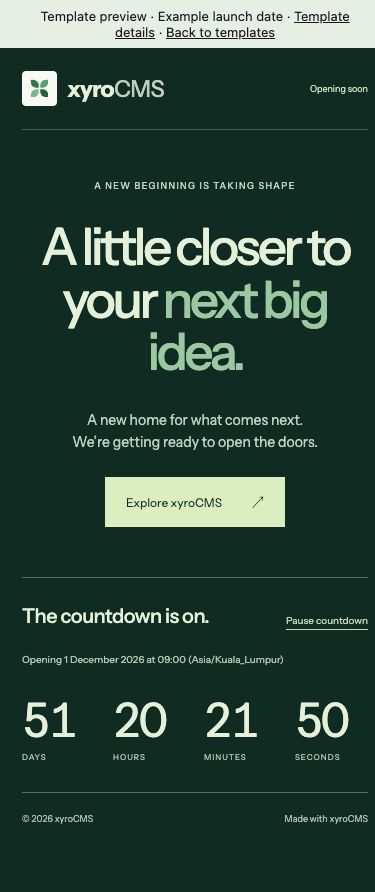
Make it yours.
One editable page. Copy, links, images and supported content groups can be changed in the visual editor.
- 01
Check compatibility.
Your xyroCMS installation must include these trusted components: launch_header, launch_hero, launch_footer. An older CMS will reject unsupported packages; update the core first.
- 02
Review the target draft.
Open Build → Insert → Site templates. Select the downloaded JSON file and review the preview. Installing replaces the selected page’s draft sections. Your page address, SEO and published page remain as they are; Undo restores the previous draft.
- 03
Edit, then publish.
Replace demonstration content, branding and contact links. Configure dates or actions before publishing. Cinematic starters scroll through numbered frames extracted from original 3D films. Choose a supplied sequence and edit chapter copy, posters and still images. Custom frame-sequence uploads are not supported; static alternatives are included. Template installation does not publish automatically.
Package facts
Data-only JSON · No downloaded executable code · 7074 bytes
SHA-256: fbc409212e221914db0bc4c30e63c780ef18df5a9ac00872ba95243c499796ee
Read the template license. Fonts retain their included SIL Open Font Licenses. Preview dates, businesses and offers are examples.