
Immersive · Version 1.1.0
Elsewhere
A full-viewport architectural film with reversible scroll, three spatial chapters and a complete still-image story.
See the complete page
Actual rendered template screenshots, from header to footer. Open an image at full size to inspect the details; use the live preview to try interactions.
Desktop preview
Open desktop screenshot at full size ↗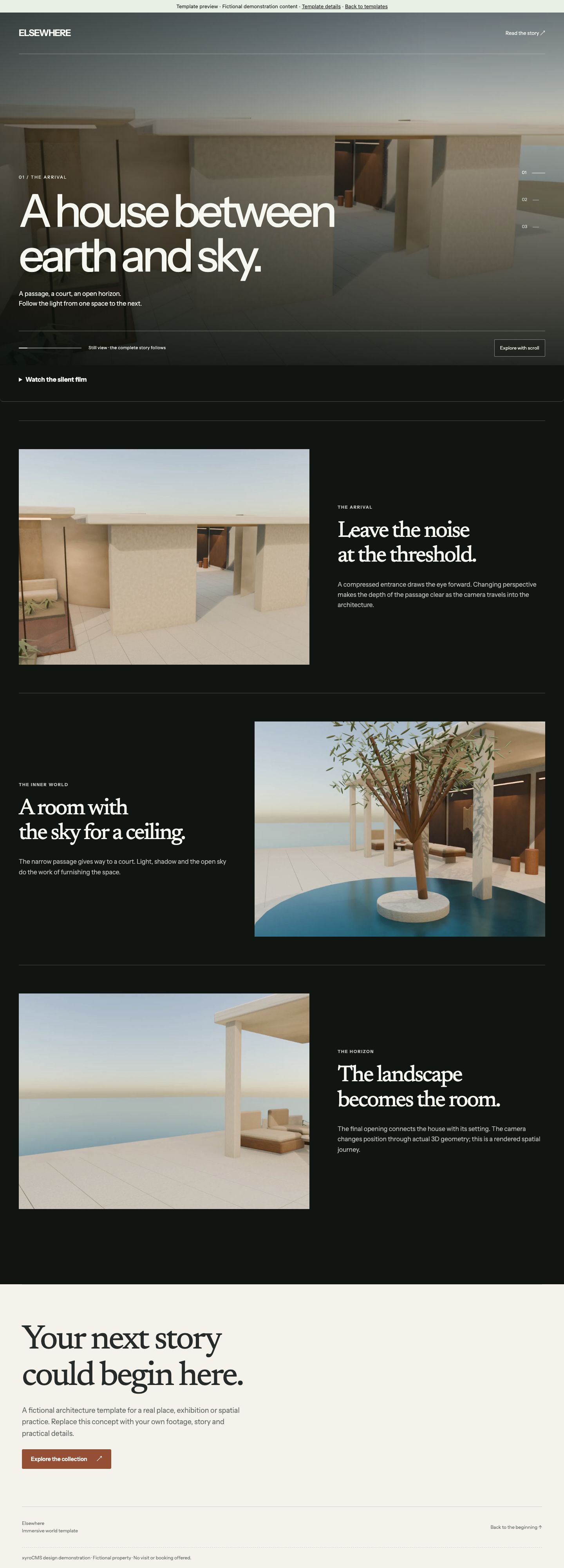

Make it yours.
One editable page. Copy, links, images and supported content groups can be changed in the visual editor.
- 01
Check compatibility.
Your xyroCMS installation must include these trusted components: collection_sequence, collection_cta, collection_footer. An older CMS will reject unsupported packages; update the core first.
- 02
Review the target draft.
Open Build → Insert → Site templates. Select the downloaded JSON file and review the preview. Installing replaces the selected page’s draft sections. Your page address, SEO and published page remain as they are; Undo restores the previous draft.
- 03
Edit, then publish.
Replace demonstration content, branding and contact links. Configure dates or actions before publishing. Cinematic starters scroll through numbered frames extracted from original 3D films. Choose a supplied sequence and edit chapter copy, posters and still images. Custom frame-sequence uploads are not supported; static alternatives are included. Template installation does not publish automatically.
Package facts
Data-only JSON · No downloaded executable code · 9317 bytes
SHA-256: 9b43fc03b172cd02912cb10bd3da086c10e369a50678ecb01404e47acd478eb2
Read the template license. Fonts retain their included SIL Open Font Licenses. Preview dates, businesses and offers are examples.